

Register & Checkout
A register built for the way bike shops actually sell. Fast for the Saturday rush, flexible enough for deposits, holds, and the customer who wants it special ordered.
Everything a Sale Can Be
One register screen handles every shape a transaction takes.
Walk-In Sales
Scan, search, or key in items. Edit price, discount, and notes per line, with discount reasons you define.
Returns & Exchanges
Add return lines to a live cart and exchange in the same transaction, permission-gated per staff member.
Quotes
Save a cart as a durable quote a customer can come back to, and reopen it as a sale when they do.
Layaways
Hold in-stock items with a deposit and a reserve-until date. Canceling releases the stock automatically.
Special Orders
Take a deposit for something you don’t stock. Lines link to supplier purchase orders and update as they arrive.
Storefront Coupons
Your online discount codes work at the counter too. The register validates them against the same rules.
A Day at the Register
Register sessions keep every drawer accountable from open to close.
Open the drawer
Start a session with an opening float and a note. Each register lane tracks its own session.
Ring and tender
Cash, card, gift card, check, or the tender types you define. Staff PINs switch the operator between sales.
Check in mid-shift
An X-report shows session totals without closing, useful at shift change.
Close and count
Count the drawer, record the variance, and run the Z-report for the day across every session at the location.
Fast for the Rush, Careful With the Details
The register screen keeps the common path to a few keystrokes while everything else is one tap away.
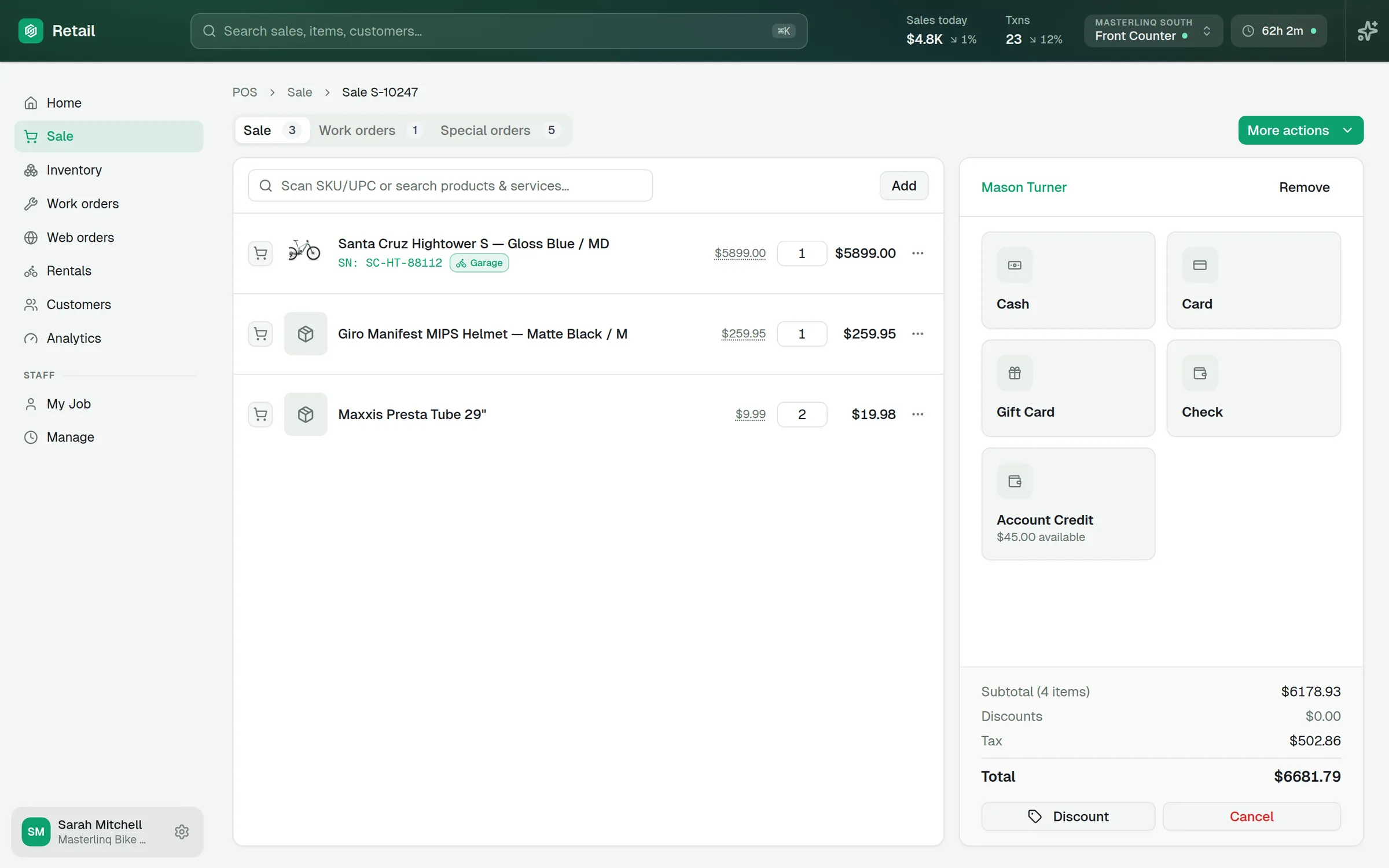
Built Around the Cart
Attach a customer and their pricing rules apply automatically. Convert the cart to a work order, save it as a quote, or hold it and resume on any lane. Receipts print, email, or both, with your branding.
Keep Exploring
Every part of Masterlinq POS runs on the same platform. See how the rest fits together.
Ready to run your whole shop on one system?
Schedule a demo to see the register, the workshop, and your website working as one.