

Service That Runs on a Real Schedule
Work orders from check-in to pickup, online booking that lands on the actual repair calendar, assembly builds from web orders, and reporting that knows what the bench really costs. Run from Storefront POS, booked from Storefront Online.
The Work Order, Start to Finish
Every job moves through statuses you define, on a schedule your technicians can actually keep.
Check the bike in
The customer, the bike — make, model, serial — the services, and condition photos, with a live estimate as you add work.
Schedule it to a real opening
The availability engine offers slots the right technician can actually work — and “find next opening” answers the phone in seconds.
Work it, your way
Move the job through your own custom statuses. Waiting on parts? Put it on hold and it leaves the schedule until they arrive.
Send the estimate
Email the quote for approval; notes and photos stay on the job’s timeline, and parts come straight from inventory.
Pickup and pay
Check the work order out to a sale at the register — parts, labor, and tax in one transaction.
Booked Online,
Onto the Bench
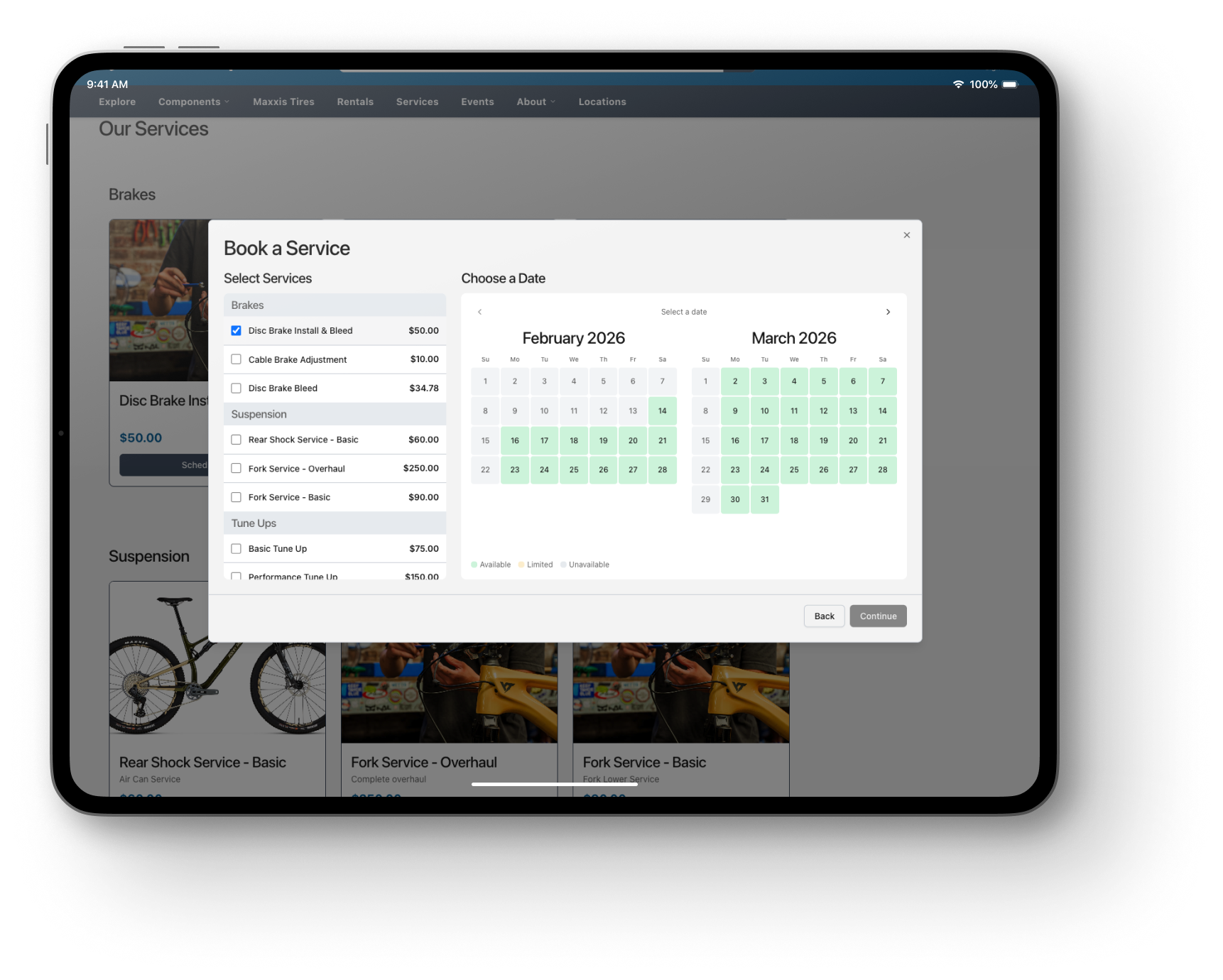
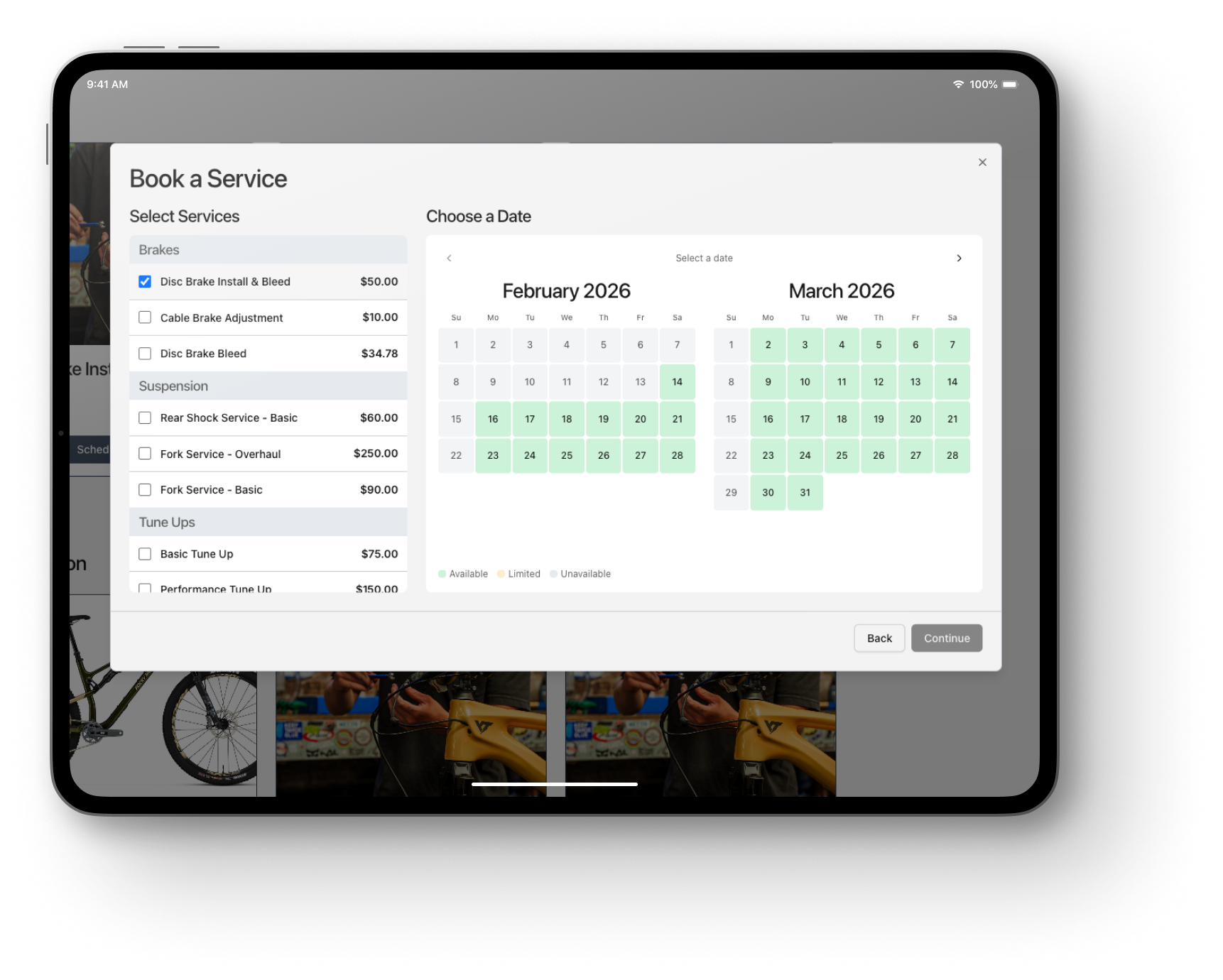
Online booking that isn’t a contact form — the customer picks a real time slot, and a scheduled work order lands on your repair calendar instantly.
Real slots, not requests
Openings come from your technicians’ actual schedules, with the same double-booking guard the counter uses. Booked means booked.
Customers pick a time, never a person
Availability is pooled across eligible technicians per store, in the store’s own time zone — you assign the wrench, not the customer.
The bike arrives before the customer
Make, model, and year land on the work order at booking — staff know what’s rolling in before it hits the stand.
One customer, web to workbench
The booking links to the shopper’s storefront account automatically — the same record the register sees.
Built in the Shop
Assembly is real work — Storefront treats it that way, without ever billing it twice.
Sold Online, Built on the Bench
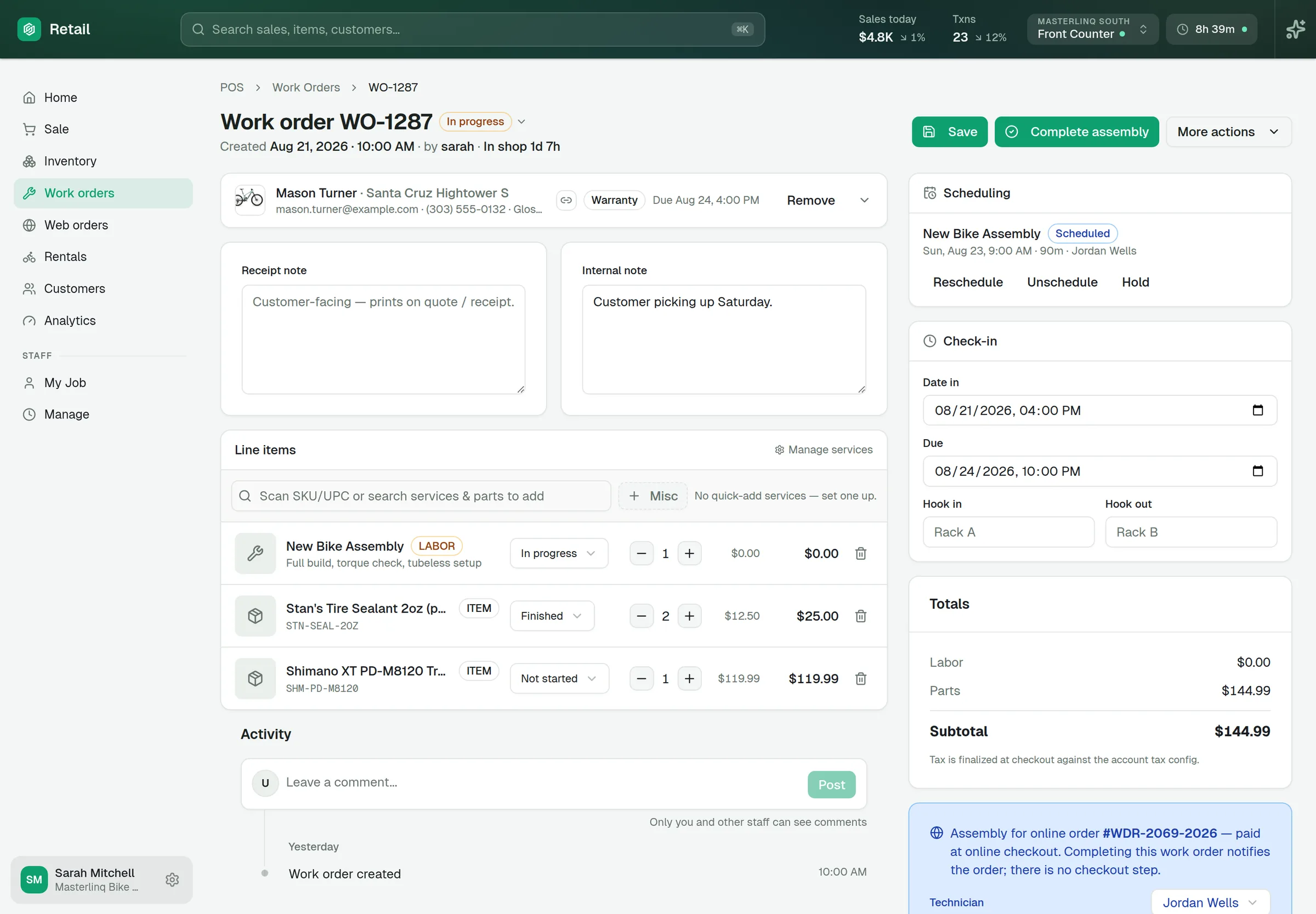
A bike sold on your website becomes an assembly work order with the exact lines to build — already paid, never a second sale. When the build is finished, the status posts back to the customer’s order automatically, and the order page shows the live state of the work.
Internal Builds, Unbilled
Floor stock and warranty builds run as internal assemblies — tracked like real work, never checked out as a sale.
Build Types You Define
Bike build, warranty, custom — your own assembly types, so the reporting speaks your shop’s language.
Built-By on Every Serial
Serialized units carry built status, the build date, and who built it — on the unit’s permanent record.
Reporting That Knows the Bench
Not just how much service you sold — how the workshop actually ran.
Honest Turnaround
Check-in to work-finished — not pickup — with average, median, and worst case, so a bike collected Friday doesn’t hide a Tuesday finish.
On-Time Rate
Finished work measured against the due dates you promised customers — and a live view of what’s in the shop, including the oldest bike on the floor.
Per-Technician Performance
Jobs finished, average turnaround, on-time rate, and value of work completed — by mechanic.
The Unbilled-Labor Report
What free build work really cost: mechanic minutes and unbilled labor and parts dollars, split online vs internal — the value of work given away, finally visible.
Builds by Type and by Tech
Assembly work broken down by your build types — sorted by what eats the most bench time — and by who did the building.
Slice It Your Way
The custom report builder cuts work orders by location, status, kind, build type, and technician — with labor value as a first-class metric.
The Bike Garage
Every customer’s bikes, on file — so the second visit starts faster than the first.
A Garage on Every Customer
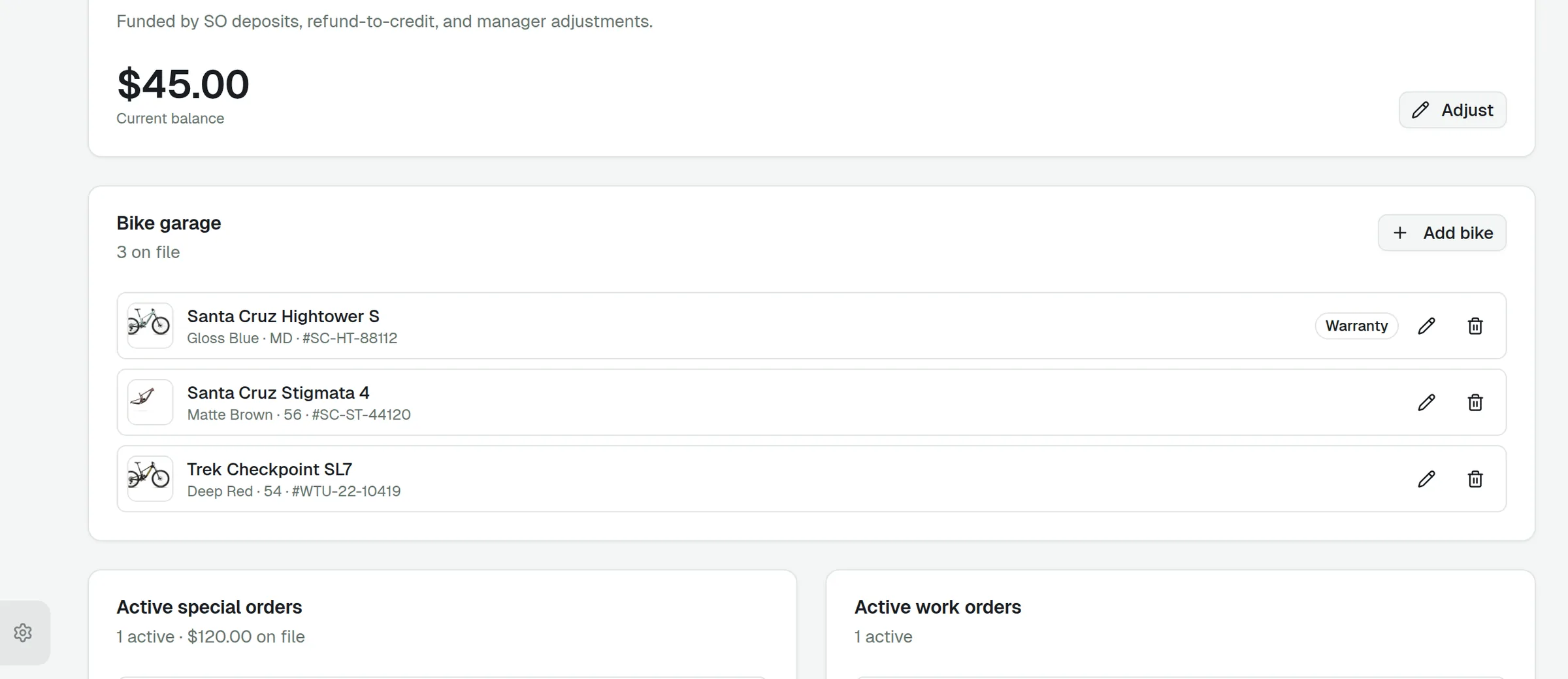
Each bike is a real record — title, color, size, serial number, warranty status, and photos — kept on the customer’s profile, not in a comments field. Whether it was bought at your shop or brought in from elsewhere, it belongs in the garage.
Straight Into the Work Order
At check-in, pull a bike from the garage instead of retyping it — and the job records exactly which bike came in.
Found by Serial
A bike gets dropped off? Look it up by serial or name, across all your locations — the bike and its owner come up together.
Filed at the Register
Sell a serialized bike and file it in the buyer’s garage right at checkout — the garage builds itself as you sell.
The Business of Service
A service menu you control, revenue that recurs, and comms that send themselves.
Service Plans, Sold Like a Product
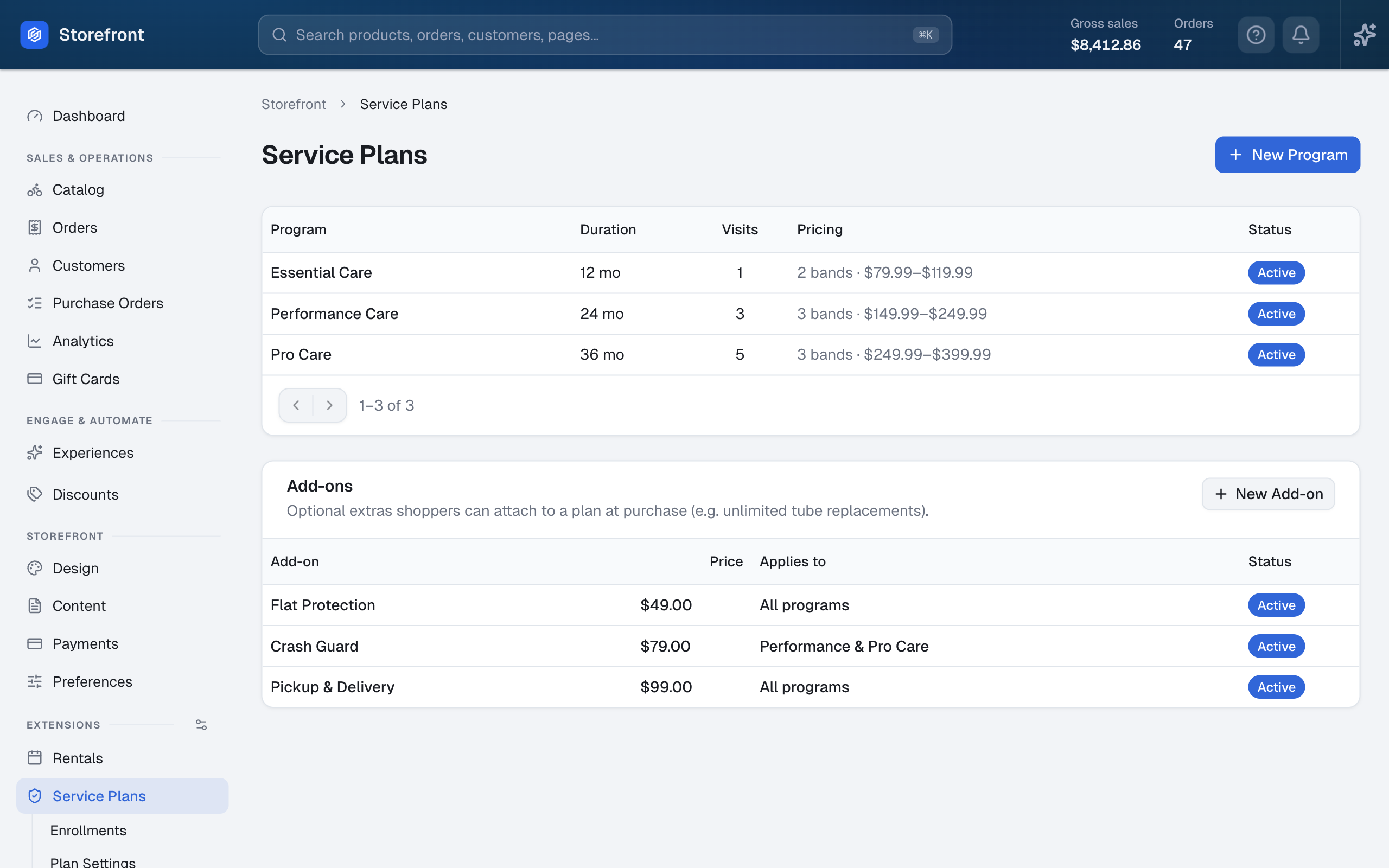
Sell multi-year maintenance plans on eligible product pages and in the cart, priced by the bike with brand and type targeting. Checkout creates the enrollment automatically, and every included visit is redeemed at the counter in one click — timestamped, attributed to the staff member, and undoable.
A Menu You Shape
Fixed, hourly, or quote-on-inspection pricing per service, with durations, images, and per-location availability.
Capacity You Control
Per-location hours, annually repeating closures, booking cutoffs, and daily caps by hours or by bookings.
Deposits, Tracked
Per-service deposit rules — flat or percent — recorded on the booking and marked paid at the counter.
Customer Emails, Automatic
Confirmation, day-before reminder, cancellation, and completion emails — on your own templates.
Staff Alerts, Instant
New bookings notify the people you choose the moment they land — no inbox-checking ritual.
Every Location, Its Own Shop
Hours, closures, capacity, and bookable services per store — with assemblies pinned to the store doing the work.
Keep Exploring
The workshop is one part of the platform — the register that rings it and the website that books it are right here.
Ready to put the workshop on one system?
Schedule a demo to see booking, the bench, and the reports working together.